


Goldspinia App: Easy Navigation and Mobile Gaming
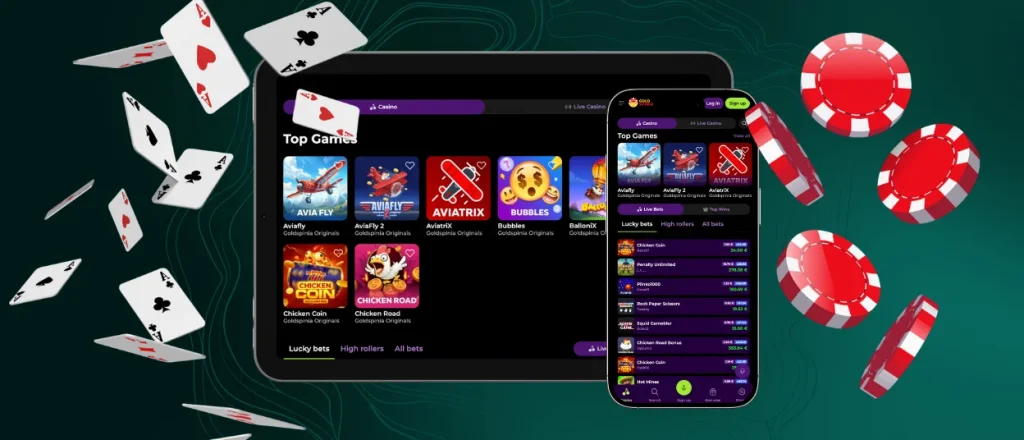
The Goldspinia App puts casino games and account tools on your phone or tablet. It runs as a PWA through the browser. No separate APK file is needed. Add the app to your home screen and open it from its own icon. The mobile layout adjusts to smaller displays and keeps the main controls within easy reach.



Key Features of Mobile App
Playing on a phone or tablet gives customers access when they are away from their computer. The Goldspinia app runs as a progressive web app and connects to the same account used on desktop. Its layout fits smaller screens. A desktop still gives games more room, which works better for some longer sessions.
Advantages
Mobile play gives users more flexibility when they are away from a computer. The Goldspinia app also keeps the main casino features available on phones and tablets.
- Quick access: Add the Goldspinia app to your home screen and open it from the icon.
- Mobile layout: The interface fits phone and tablet screens. Menus stay clear and easy to reach.
- Mobile slots: Play slot games directly on your mobile device, away from a PC.
- No separate installation: The PWA opens through your browser and works without an Android installation package.
- Web-based updates: Updates load through the web version, with no manual app update required.
Disadvantages
Playing on a smaller device comes with a few trade-offs compared with a desktop setup. Screen size and device performance make the biggest difference.
- Less screen space: A desktop monitor gives more room for games and account pages.
- Smaller controls: Some game interfaces feel more comfortable on a larger display.
- Battery use: Longer mobile betting sessions put more demand on a phone or tablet battery.
- Connection matters: Playing away from home depends on the quality of your mobile or Wi-Fi connection.
How to Install the Mobile Application
Games and account features remain available when you move away from your computer. The Goldspinia app uses a mobile layout that fits both phone and tablet screens. Users open the platform from a home screen shortcut. This removes the need to search for the website each time.
Android
For the Goldspinia app download, open our official website in Chrome. Tap the three-dot menu in the address bar and choose Add to Home Screen. Confirm by tapping Add. The Android app shortcut will then appear on your device, and you can move the icon to another place on the home screen if needed. There is no Goldspinia APK to install.
iOS
If you’re ready to start with the app, on an iPhone or iPad, open the Goldspinia website in Safari. Tap the Share button and find Add to Home Screen. Confirm with Add, and the iOS app shortcut will appear on your home screen. Tap the icon to open the casino directly.
Goldspinia Desktop Experience
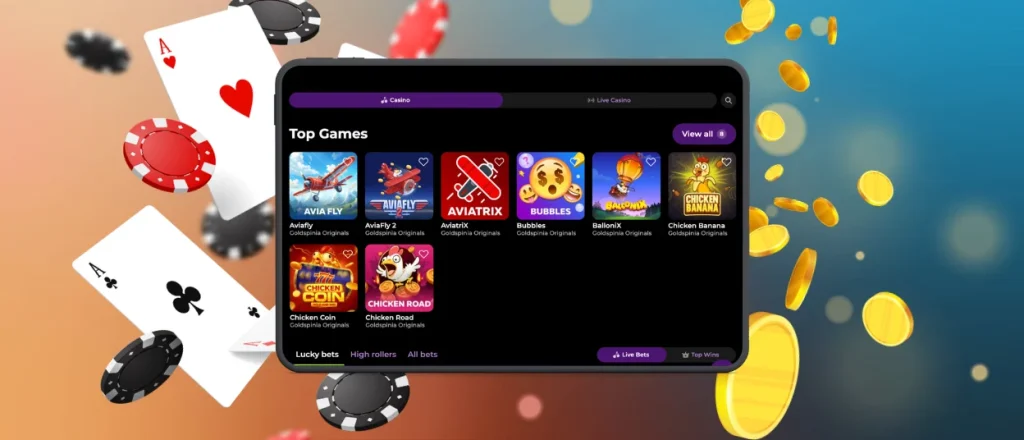
The Goldspinia app also works on desktop through a web browser. Games have more space on a desktop screen, and account pages are easier to read. The same profile works on mobile and desktop. For quicker access on Windows or macOS, customers also have the option to save the website as a desktop shortcut. Chrome and Edge provide built-in shortcut options, while Safari users on newer macOS versions can add the site to the Dock. Firefox players can place a website shortcut on the desktop instead. No separate software is required.

How to Play in the Gold Spinia App
To start playing on mobile, sign in to the Goldspinia app and choose a game from the lobby. Check the rules first, then select your stake and start playing. Real-money wagers come from your available account balance. For mobile gambling, users keep the same profile they use on desktop. Your balance and account information stay connected on each device. Same login details on mobile, no extra account to set up.
Frequently Asked Questions
Is biometric sign-in available in the Goldspinia Casino app?
The Goldspinia mobile app runs as a PWA instead of a native app. It has no built-in fingerprint or Face ID login. If biometric sign-in works on your device, it comes through your browser or device settings.
How are deposits protected when made through the mobile application?
Deposits made through the Goldspinia app use the same payment system as the website. Payment data travels over a secure connection. Certain payment methods require another verification check before we approve the transaction.
Is It Possible to Use the App Without Getting It From an Official App Marketplace?
Yes. There is no official app store used when downloading the Goldspinia app. Gamers open the website in a supported browser and add the PWA to their home screen. No marketplace installation is needed.
Can the mobile app send alerts and notifications to my device?
Notifications depend on your browser and device settings. If you want alerts, give notification access when your device prompts you. Your browser or device settings let you adjust the notifications later.
Does the PWA perform well on older smartphones and tablets?
It will depend on the device you are using and on the version of your browser. The Goldspinia app runs through the web, so keeping your browser up to date helps pages and games load properly. Older phones or tablets might take longer to load games.
Does the app need device permissions to provide its essential features?
The Gold Spinia app works without broad access to your device. Certain features ask for permission separately. For notifications, you need to allow alerts through your browser settings.


